
Installing Speed Layer on Team Velocity Websites
Purpose
Install Speed Layer correctly on Team Velocity sites.
Get your script
Auto Genius customer support provides your Speed Layer script URL. The Nano ID is domain and hostname specific.
Script snippet
<!-- Start Auto Genius Layer script -->
<!-- DO NOT add defer or async -->
<script src="https://exo.autogenius.io/{nanoId}"></script>
<!-- End Auto Genius Layer script -->
Team Velocity specific notes
Team Velocity commonly supports feature flag based script injection.
Enable the Auto Genius feature flag
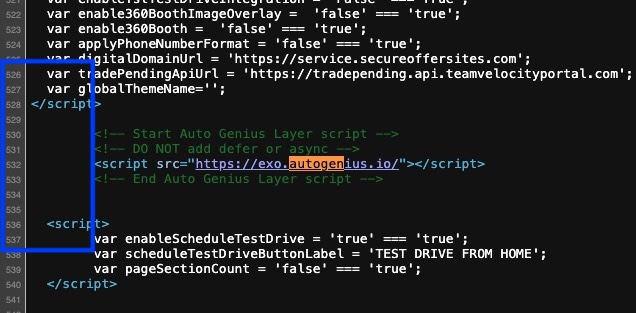
Confirm the script is injected early in the head
Placement is around line 530 on most sites. See below:
Verify after install
Publish the change
Confirm Speed Layer is active
Validate homepage, SRP, and VDP